
Appearance
User Management & Profiles
Koel supports multiple users with fine-grained permissions, making it perfect for families or small teams.
Managing Users
As an admin, navigate to Users in the sidebar to see all accounts.
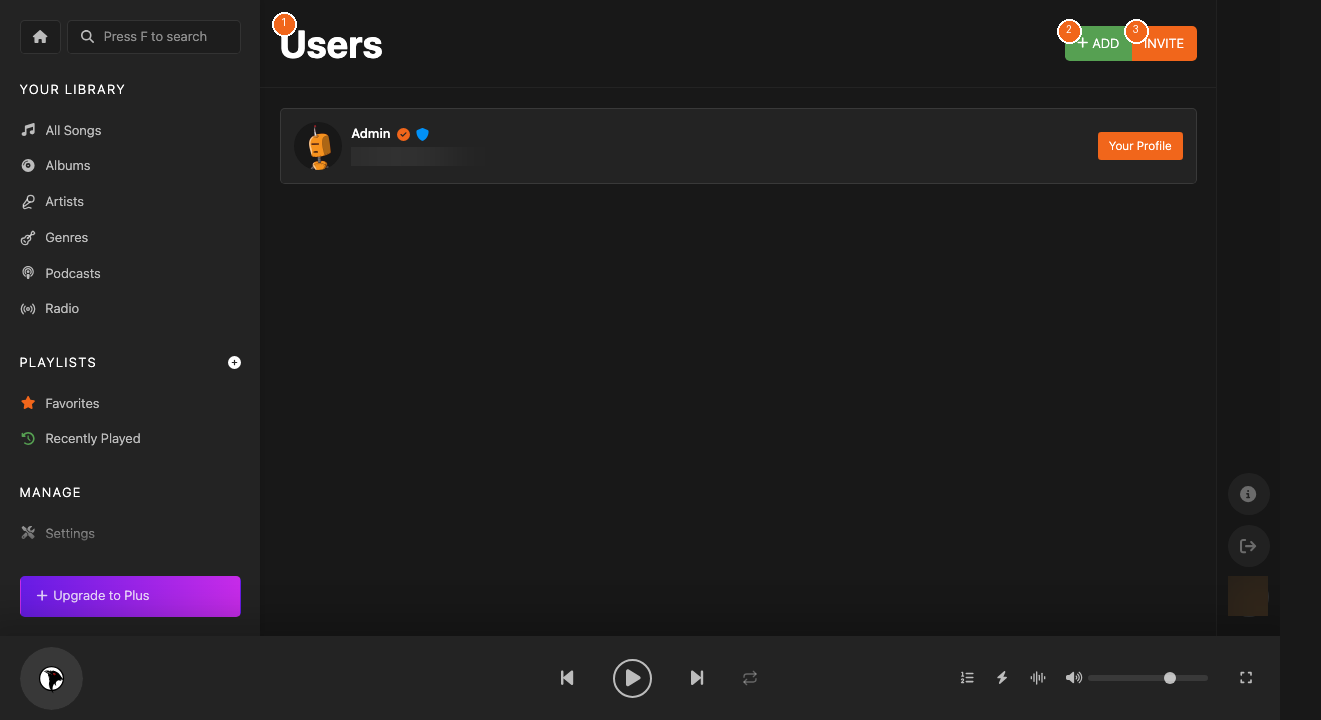
- Click Add [2] to create a new user account
- Click Invite [3] to send an email invitation
- Each user gets their own favorites, playlists, and play history
User Roles & Permissions
Koel uses role-based permissions:
| Permission | Description |
|---|---|
| Admin | Full access to all settings and user management |
| Manage Settings | Can modify server settings |
| Manage Users | Can add/edit/remove user accounts |
| Manage Songs | Can edit song metadata |
| Upload Songs | Can upload new music |
Profile & Preferences
Every user can customize their experience from the Profile page.
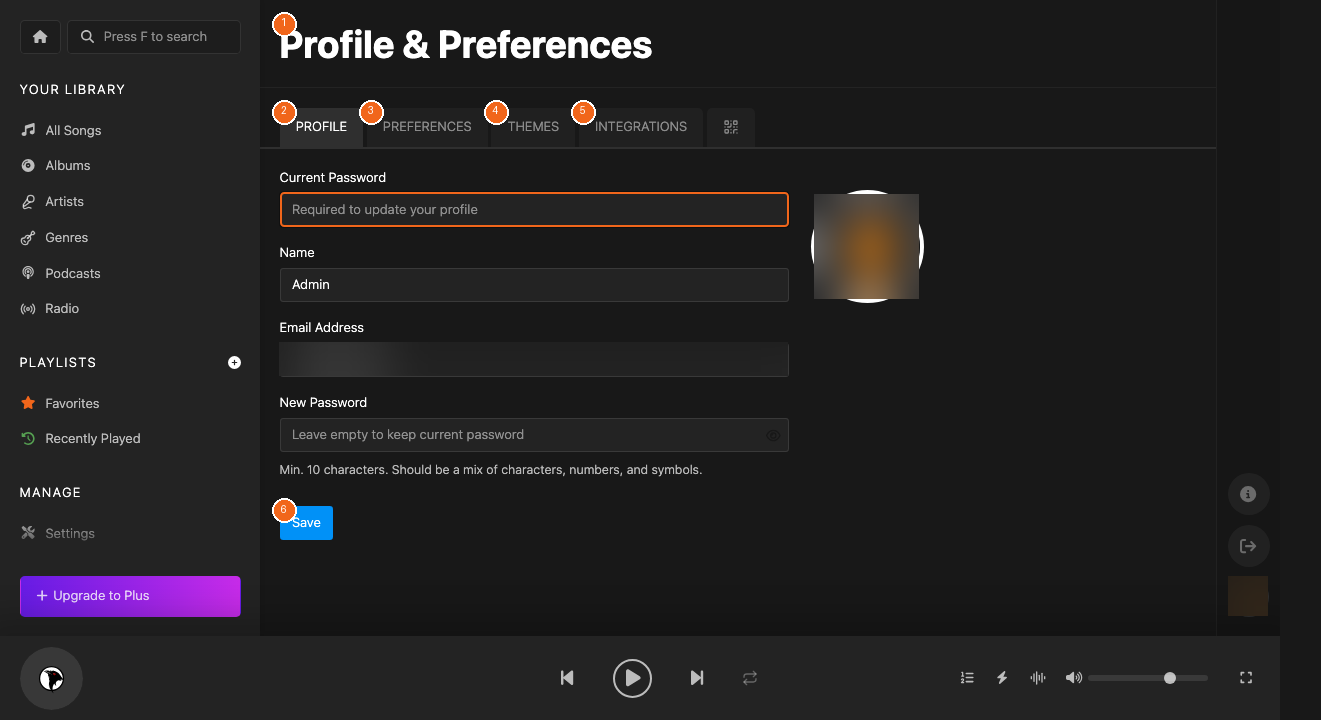
- Profile [2] — Update your name, email, and password
- Preferences [3] — Adjust playback settings
- Themes [4] — Choose a visual theme
- Integrations [5] — Connect Last.fm, Spotify, and other services
Gestión de Usuarios y Perfiles
Como administrador, navega a Usuarios para gestionar cuentas. Koel usa permisos basados en roles: Admin, Gestionar Configuración, Gestionar Usuarios, Gestionar Canciones, Subir Canciones.
ユーザー管理とプロフィール
管理者としてユーザーに移動してアカウントを管理。Koelはロールベースの権限を使用:管理者、設定管理、ユーザー管理、曲管理、アップロード。