
Appearance
Server Settings & Configuration
Koel's settings page gives admins full control over the server configuration.
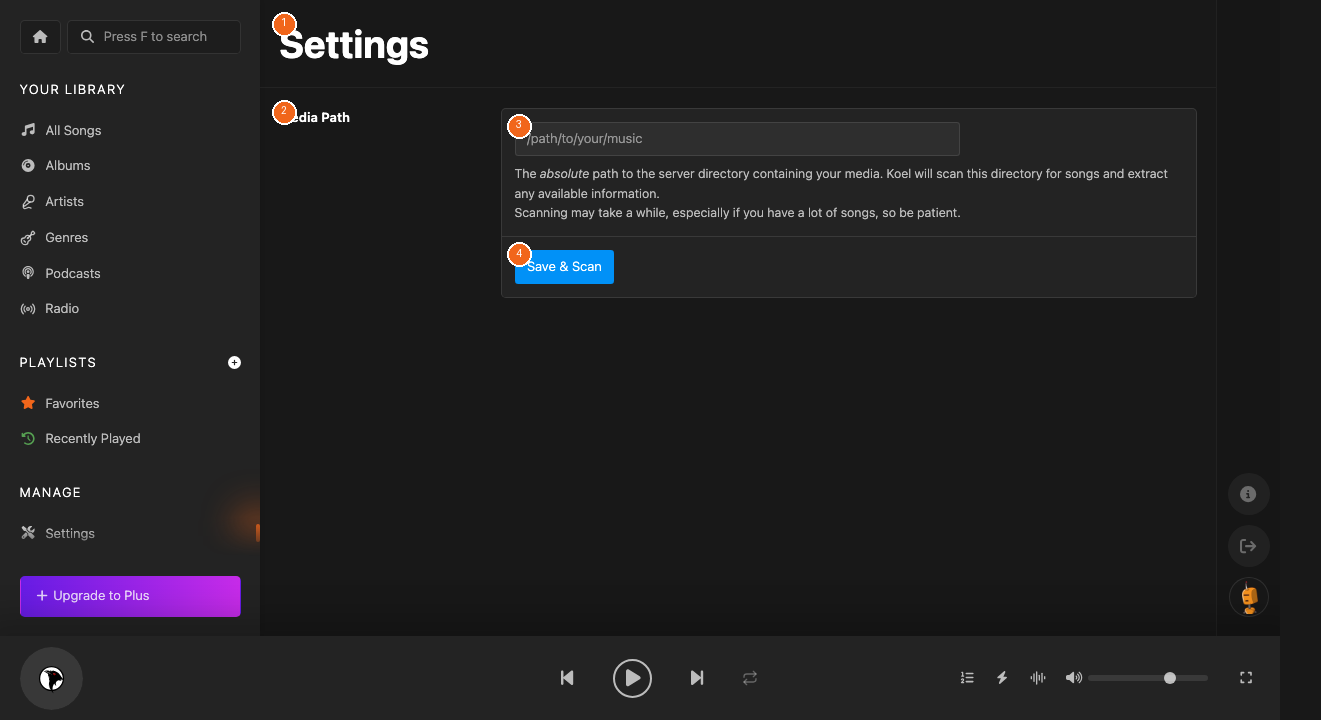
Media Path
Set the absolute path to your music directory [3]. After changing the path, click Save & Scan [4] to import your library.
Streaming Configuration
Configure how music is delivered:
- Choose your streaming method (PHP, Nginx, or Apache)
- Set transcoding quality if FFmpeg is available
- Enable mobile bandwidth optimization
Email & Notifications
Set up your mailer (SMTP, Mailgun, etc.) to enable:
- Password reset emails
- User invitation emails
- Collaborative playlist invitations
Health Check
Run the built-in diagnostic tool to verify your installation:
bash
php artisan koel:doctorThis checks PHP extensions, database connectivity, FFmpeg availability, and file permissions.
CLI Commands
| Command | Description |
|---|---|
koel:scan | Scan media directory for new files |
koel:doctor | Check installation health |
koel:license:status | Check Koel Plus license |
koel:init | Re-run the setup wizard |